Guided writing flow
Build each section step by step so experience, skills, and summaries stay clear and consistent.
Beats the ATS systems 98% of the time. Get hired faster with AI-driven content, design, and optimization.
Resume builder fundamentals
CV Hazirla helps job seekers build a professional resume, choose the right template, improve wording, and export a clean PDF without wrestling with layout problems.
Use the builder to start from scratch, upload an existing resume, or continue with guidance from our resume writing guides when you need stronger bullet points, structure, or role-specific advice.
Build each section step by step so experience, skills, and summaries stay clear and consistent.
Use resume layouts that stay readable for applicant tracking systems and human reviewers alike.
Export clean resumes quickly, then iterate without breaking spacing, headings, or overall hierarchy.
ATS compatibility
ATS-friendly resumes avoid decorative clutter, preserve a clear reading order, and keep important details like job titles, dates, skills, and achievements easy to parse.
Logical section order for summary, experience, education, and skills
Readable typography and spacing that survives PDF export
Templates that balance visual polish with recruiter-friendly structure
Room for keywords, quantified results, and role-specific competencies
ATS readiness checklist
Use this before every job application
Keep your job titles, employer names, dates, and core skills easy to scan at a glance.
Prioritize measurable achievements over generic task lists so the resume works for both machines and people.
Prefer clean templates when the role is ATS-heavy, then add stronger design only where it helps clarity.
Resume templates
Use focused templates for ATS applications, senior roles, technical jobs, or more visual resumes that still keep the reading order intact.
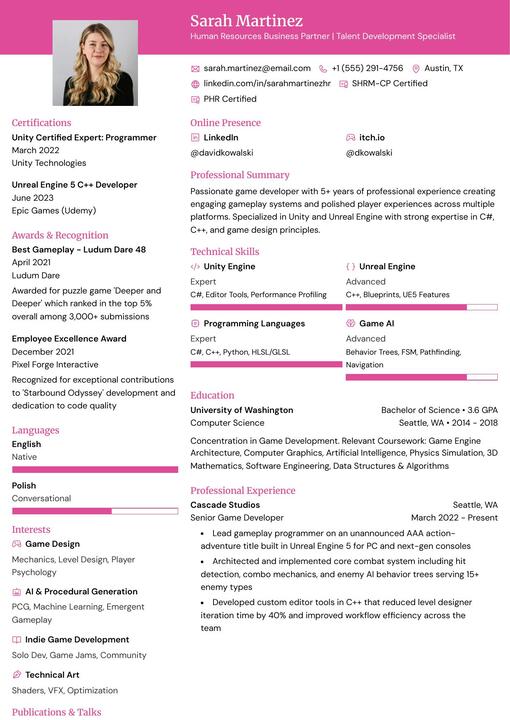
Two-column, minimal and text-dense with no decorative elements; perfect for traditional industries or ATS-heavy applications.
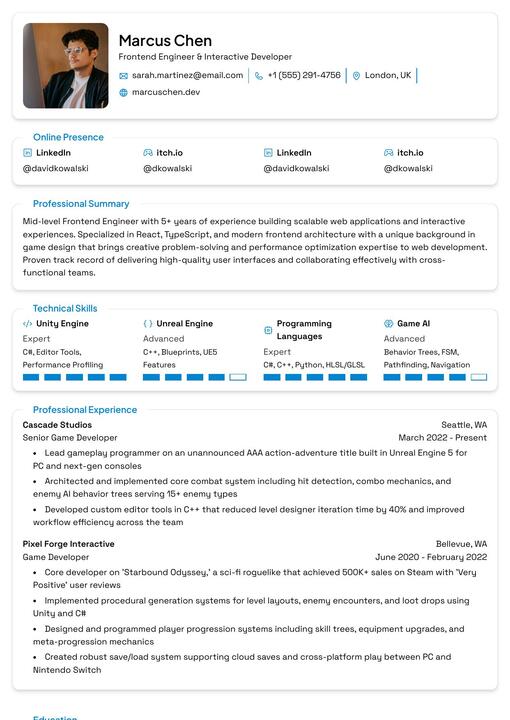
Single-column; polished and serious for senior or enterprise-level positions.
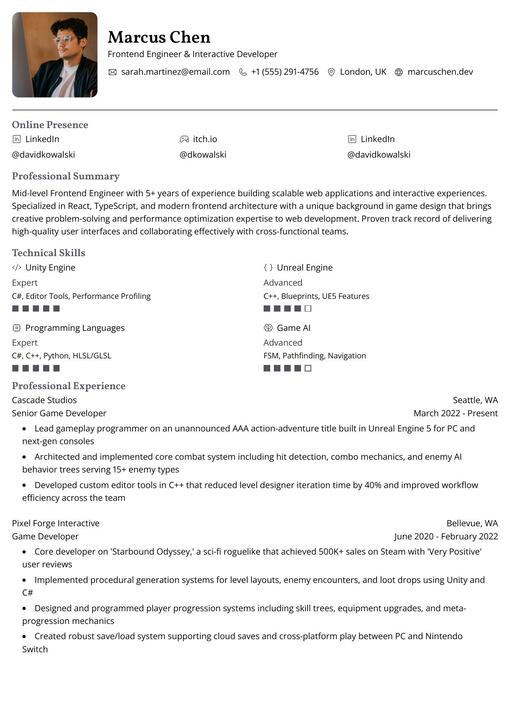
Single-column with a sidebar and clean grid layout; versatile for any professional or technical role.
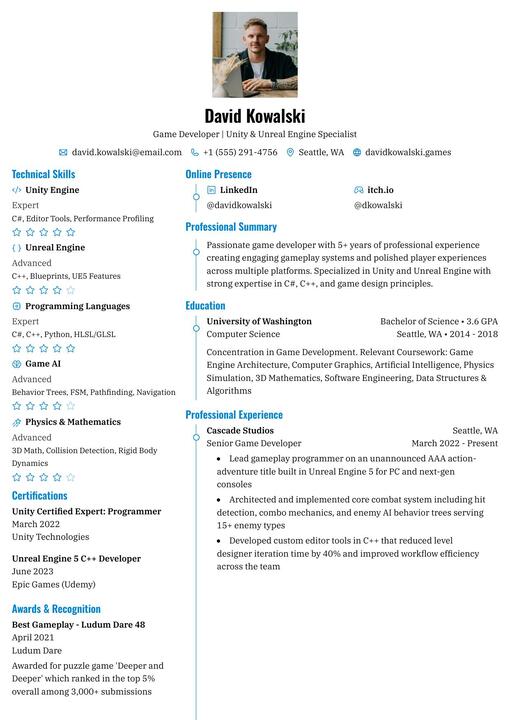
Two-column with a bold colored sidebar and skill bars; great for creative or tech roles where visual flair is welcome.
How the builder works
Upload an existing resume, import from LinkedIn, or begin with a blank template when you want full control.
Improve your summary, bullet points, and skills while keeping layout decisions consistent across the page.
Download a clean PDF and reuse your best version for future applications instead of starting over every time.
Use cases
Whether you are applying for your first role or rewriting your resume for a more competitive market, the builder is meant to reduce formatting friction and make positioning clearer.
Use compact layouts and clear project sections when work history is still short but potential is strong.
Highlight technical skills, measurable project outcomes, and readable experience sections for technical screens.
Focus on process improvements, ownership, and quantified impact without sacrificing professional presentation.
Reframe transferable experience and create a clearer narrative for the role you want next.
FAQ
Yes. The builder is designed around readable structure, clear section order, and templates that keep experience and skills easy to parse.
Yes. You can begin with an existing resume file and then adjust wording, layout, and template choices inside the builder.
Yes. The workflow is built around clean PDF output so you can apply quickly once the resume is ready.
It works for students, early-career applicants, technical professionals, business roles, and candidates repositioning themselves for a new market.
Popular resume intents
Some visitors need a full resume builder, some want ATS guidance, and others want template help. These landing pages are built around those different search intents.
Start from the main resume-building page when you need the full creation and editing workflow.
Learn how to keep structure, wording, and layout safer for ATS-heavy application processes.
Compare resume templates and choose the layout that best fits your target role and hiring flow.
Review example resume structures when you need help positioning experience for different candidate profiles.
Use the blog when you need stronger bullet points, examples, and resume-writing explanations.
Ready to build
Use the builder for your next PDF resume, then keep learning with our blog whenever you need better examples, phrasing, or structure.
Type a command or search...